Welcome to Octopus Moving Company | Massachusetts, Rhode Island, North Carolina
Welcome to Octopus Moving Company | Massachusetts, Rhode Island, North Carolina

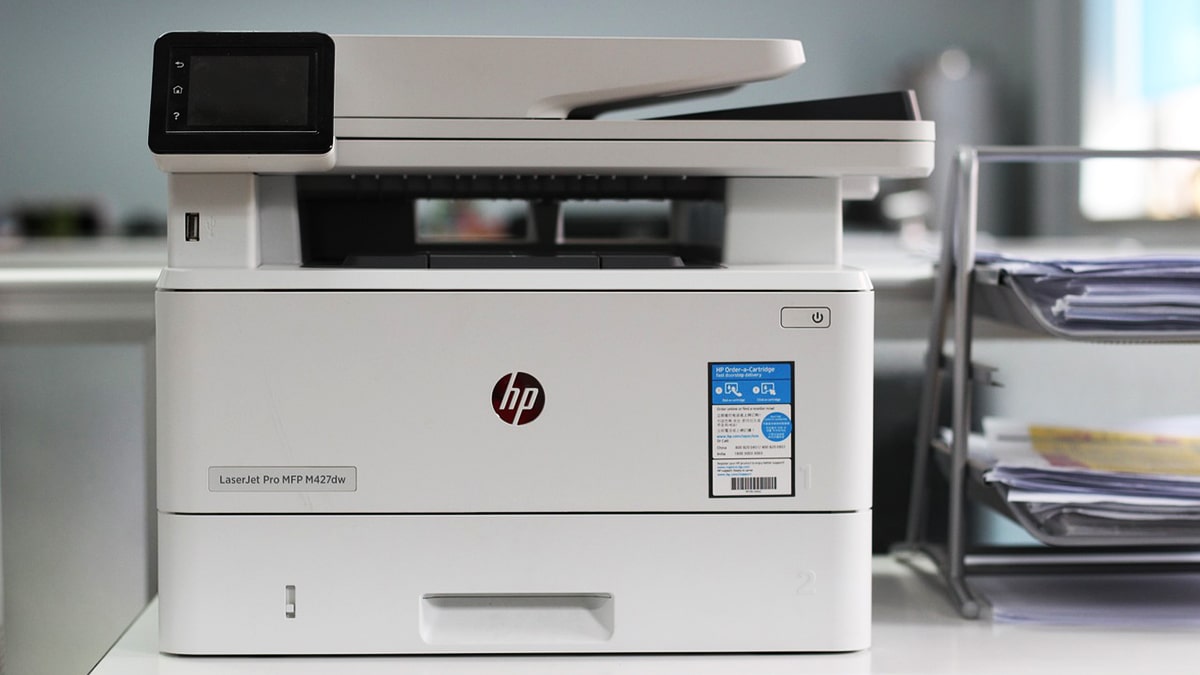
Ahoy, tech adventurers! Our company Octopus Moving here, ready to navigate you through the treacherous waters of relocation and tell you how to transport a printer. You might think moving a printer is as simple as unplugging it and tossing it in a box, but oh boy, you’d be in for a rude awakening. Let’s dive into a nitty-gritty of packing tips for electronics.
First things first, we need to get printer shipshape before embarking on its journey. Trust us, a little prep work now will save you from a sea of troubles later.
Alright, mateys, let’s tackle that nest of cables behind your printer. Here’s how we’re going to untangle this electronic kraken:
Next up, we’re dealing with the printer’s lifeblood — inks and toners. We’ve seen enough ink explosions, so listen to a small instruction about its printer removal.
For ink jet printers pop out those ink cartridges. Seal each one in its own zip-lock bag. Store these bags in a cool, dry place.
For laser printers remove a toner cartridge with the maximum care. If you have original packaging, great. If not, pack it in a thick cloth and seal it in the plastic bag.
Pro-tip: For some printers you need special clips or covers when removing their cartridges. Check your manual — it’s not just decorative, we promise.
Your printer’s been working hard, and it deserves a little pampering before a big trip. Before packing electronic devices:
Now that printer is prepped and clean, it’s time to wrap electronics for shipping.
How to secure a printer for relocation? Use the suitable box. Size matters, folks. You want the box that fits your printer like a glove — not very tight, not very loose.
Good padding is like a good friend — supportive and always there to cushion the blow:
Last but not least. Use strong packing tape to pack the printer. None of that wimpy masking tape or duct tape. Apply tape in an H-pattern on the bottom and top of the box. Slap on those “FRAGILE” and “THIS SIDE UP” stickers. Make them big, bold, and impossible to ignore. If you’re moving multiple printers, number each box and keep an inventory list.
Close all paper trays and output bins. We don’t want any surprise openings mid-move. If your printer has a flatbed scanner, secure that lid. A piece of tape will do, but be gentle. For laser printers, make sure that the drum unit is locked in place. Got any external buttons or levers? Consider taping them down.
Start with a bubble wrap. Cover every inch, paying extra attention to angles and borders after printer dismantling. Tape down the bubble wrap, but don’t go crazy with the tape on the printer. Then, lay some foam over the bubble wrap. Make sure to give the control panel and any glass parts a little extra protection.
Remember, we’re going for “cozy cocoon”, not “mummified beyond recognition”.
The final countdown for protecting printers during a move. Let’s get that printer tucked in for its journey.
Create a cushion bed at the bottom of the box with crumpled packing paper or packing peanuts. Gently lower the wrapped printer into a box. Treat it like you’re Indiana Jones replacing the golden idol with a bag of sand. Fill any empty spaces with more packing material. Top it off with a final layer of cushioning before sealing.
Pro-tip: For heavyweight printers, consider the Russian nesting doll approach – box within a box.
Don’t forget about the printer’s accessories. These little sidekicks need care too in our printer moving guide.
Remember those cartridges we removed earlier? Time to give them the cover:
Keep ink cartridges in their sealed bags. Package the bags in a small box, lining it with bubble wrap and filling empty spaces with packing peanuts. Seal and label the box clearly.
Keep toner cartridges in their protective wrapping. Keep them separate from the ink cartridges, in a box all their own, with lots of padding around them.
Important: Never, ever pack ink or toner inside the printer itself. That’s like putting ice cream in a pocket — it’s going to end badly for everyone involved.
Remember about neatly coiled cables. You should pack them up according to our printer packing tips.
Keep each cable in its individual twist tie or strap. Place all cables in a sealable plastic bag. If you’re moving multiple printers, label each bag. Pack these bags in a small box with some bubble wrap.
Last but not least, don’t forget the paperwork and software. Yes, we understand you’ve never read the manual, but pack it anyway.
Secure the manual and any software CDs in a waterproof plastic bag. If the original software packaging is available, use it. Pack everything together with the cables in the same boxes, separating them with bubble wrap.
Whew! Now you know how to pack a printer for moving. But if all this seems like more hassle, remember that Octopus Moving is here to help.
We’re not just a moving company; we’re like Navy SEALs relocating office equipment. Our team is trained in the dark arts of packing fragile electronic devices, ensuring precious printers arrive at a new house without so much as a scratch.
Here’s why we are the bee’s knees when it comes to moving printers:
Remember, when it involves moving a printer, it’s not just about getting from point A to B. When you plug it in at your new digs, it works as smoothly as a well-oiled machine. That’s our promise.
So, whether you’re moving a humble home printer or an entire fleet of office behemoths, we’ve got your back. Don’t let printer packing stress turn you into a human paper jam. Let us handle the heavy lifting and the delicate wrapping while you focus on more important things.
Are you ready to take a safe printer transport? Give us a call! We’ll treat your printer like it’s our own, minus the paper jams and low ink warnings. Let’s make your printer’s journey smoother.
Error: Contact form not found.